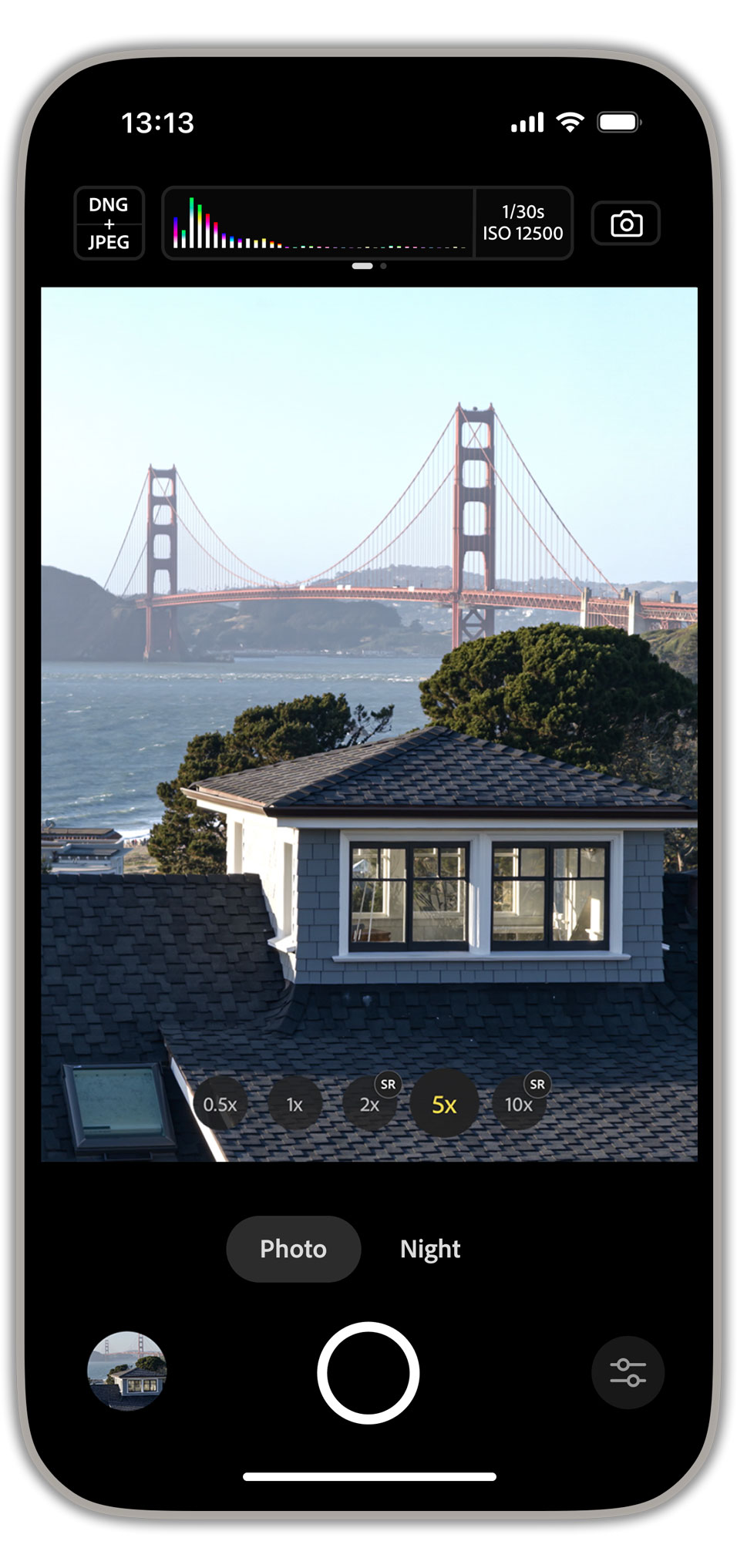
Adobe Indigo Camera App Gets an AI Playground Update
If you are trying to make sense of Adobe Indigo camera app changes, you are probably asking the right question: does this update actually help you make better images, or is it just another AI demo wrapped in a polished interface? That matters now because camera apps are no longer only about capture. They are starting to shape editing, styling, and even how you test generative tools before you commit to a workflow. Adobe’s latest move puts Indigo closer to that middle ground. It is part camera app, part test bed, and part signal about where Adobe wants creative tools to go next. The real issue is simple. If Adobe keeps pushing AI deeper into everyday image work, will creators get more control, or just more noise?
What stands out in Adobe Indigo camera app
- Indigo now feels more experimental. Adobe is using it as a place to test AI-assisted image ideas, not only basic camera functions.
- The update is aimed at creators. It speaks to people who care about image quality, workflow speed, and early access to new tools.
- It fits Adobe’s larger AI push. This is part of a broader strategy across Photoshop, Lightroom, and Firefly.
- It may shape future products. Features tested here can influence what lands in Adobe’s mainstream apps.
Why Adobe Indigo camera app matters now
Adobe has spent the last few years threading AI through its creative stack. Firefly brought generative features into the open. Photoshop added more AI-assisted editing. Lightroom kept pushing workflow tools for photographers who want speed without losing control. Indigo matters because it sits closer to the front of the process, where you capture the image before you edit it.
That placement is strategic. A camera app is like the foundation of a house. If Adobe changes the base, everything above it changes too. Better capture tools can improve downstream editing, but they can also steer you toward Adobe’s preferred workflow. That is the tradeoff.
Adobe is not treating AI as a bolt-on feature anymore. It is folding it into the earliest part of the creative process.
How the AI Playground angle changes the app
The phrase AI Playground tells you a lot. It suggests testing, iteration, and rough edges. That is useful if you want to explore features before they are locked into a final product, and it is also a quiet admission that not every AI feature belongs in a polished release.
Look, photographers and editors do not need more hype. They need tools that save time without flattening style. If Indigo lets Adobe test image enhancement, capture guidance, or generative concepts in a lighter setting, that is smart product design. But it only works if the controls stay clear.
What users will care about most
- Image quality. Does the app improve results, or just process them faster?
- Control. Can you turn features off, tune them, or ignore them?
- Workflow fit. Does it help you move from camera to edit without friction?
- Trust. Are AI changes visible enough that you know what happened to your image?
Adobe Indigo camera app and the creator workflow
For working photographers, app sprawl is a real problem. One app handles capture, another handles culling, another edits, and a fourth stores assets. Adobe knows that. The company has spent years trying to reduce that friction across Creative Cloud.
Indigo’s AI Playground update could help if it trims steps or exposes smarter defaults. But it could also create a new kind of clutter if the app becomes a showcase for every experimental feature Adobe wants to test. Nobody wants a camera app that behaves like a junk drawer.
And there is a second issue. Once AI enters capture, the line between correction and alteration gets fuzzy. A little noise reduction is one thing. A camera app nudging aesthetics in the name of optimization is something else. Where do you draw that line?
What this means for Adobe’s bigger AI strategy
Adobe has a clear incentive here. If creators accept AI earlier in the workflow, Adobe gets more influence over the whole pipeline. That is good business. It is also why these updates deserve scrutiny.
The best-case version is practical. You get better tools, faster iteration, and a cleaner path from shot to final image. The worst case is more complexity disguised as simplicity, with AI features stacked on top of each other until the app feels busy and opinionated. Adobe will need to prove that Indigo adds value without pushing users around.
The next test is not whether Adobe can add AI. It is whether it can make AI feel invisible when you do not need it, and precise when you do.
What to watch next
If you are using Adobe’s creative apps, keep an eye on three things. First, whether Indigo’s AI features stay experimental or move into mainstream products. Second, whether Adobe gives users clearer controls over image processing. Third, whether the company explains how these features affect the final file, metadata, and editing pipeline.
Adobe has a habit of turning sandbox features into standard tools once the rough edges are gone. That makes Indigo worth watching. Not because it is flashy. Because it may be the first place Adobe shows you the next rules for creative work. And those rules will matter long after the novelty wears off.
Would you rather have a camera app that promises more AI, or one that gives you fewer surprises?


