AI Agent Risk: What Makes One Worth Trusting
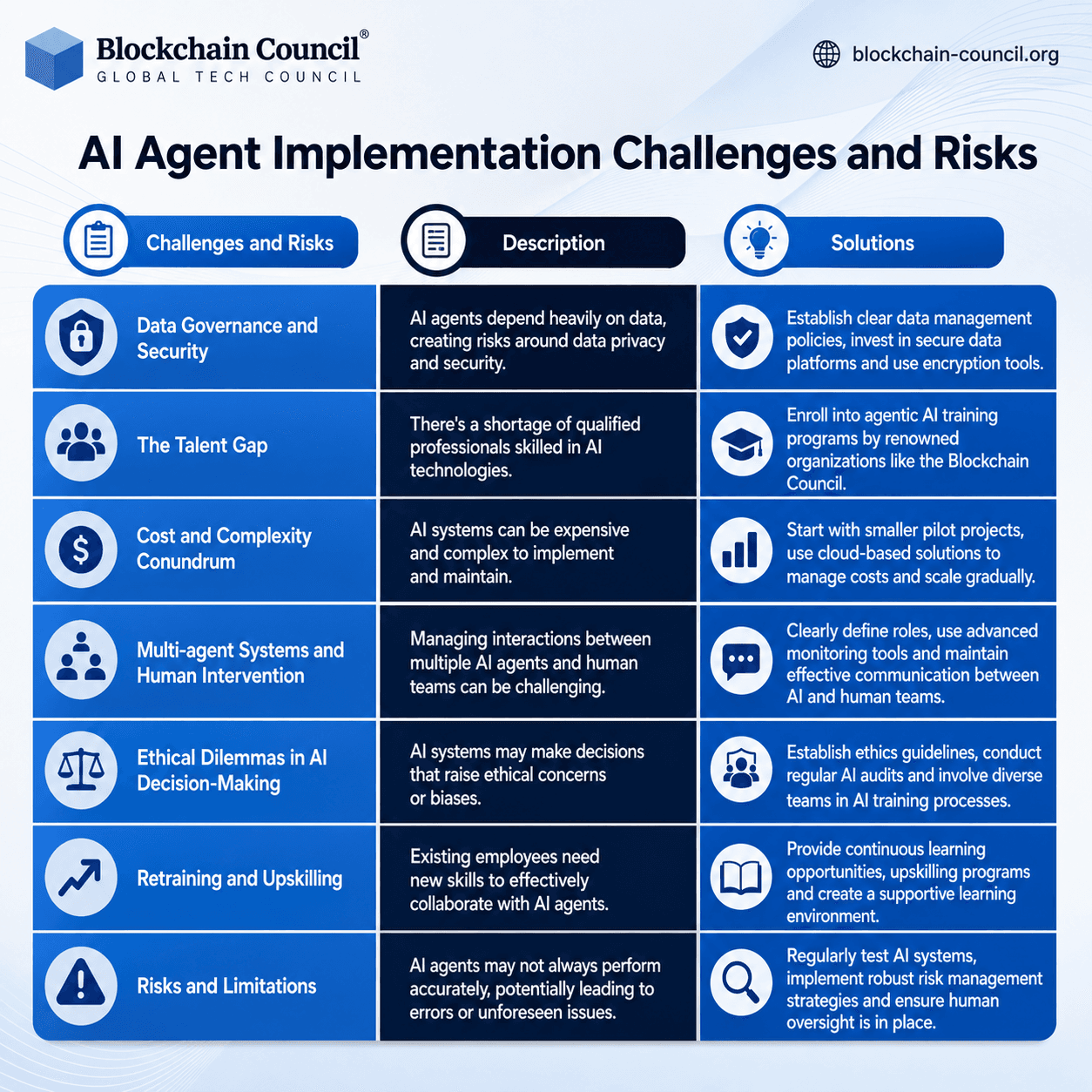
You do not need another chatbot that writes tidy summaries. You need help with the messy stuff, such as booking, comparing, filing, checking, and following through. That is why AI agent risk matters now. Agents do not only answer questions. They can click buttons, read your email, browse websites, move files, and make choices on your behalf. Wired recently framed this shift through a sharper question: what would make an AI agent useful enough to justify that trust? It is the right question. I have covered AI long enough to know that demos age badly, but permissions stick around. The real test is not whether an agent looks smart in a video. The test is whether you can let it act without feeling like you handed your house keys to a charming stranger.
What Matters Most
- AI agents raise the stakes because they can take action, not only generate text.
- Useful agents need narrow permissions, clear audit trails, and easy shutdown controls.
- The best early use cases are bounded tasks, such as travel research, calendar cleanup, refunds, forms, and internal workflows.
- Trust should be earned in stages. Start with read-only access, then approve each action before automation expands.
Why AI Agent Risk Feels Different
A chatbot can be wrong and still stay mostly contained. An agent can be wrong and send the email, buy the ticket, delete the file, or paste private data into the wrong place. That changes the risk from bad advice to bad execution.
The core issue is agency. Once software can operate across browsers, inboxes, calendars, and payment pages, it starts to resemble a junior assistant with uneven judgment. Would you let a new assistant handle your bank login on the first morning?
Do not give an AI agent more access than you would give a new contractor on day one, and make every permission expire.
What Wired Got Right About AI Agent Risk
The Wired piece points to the tension that has followed agents since the first polished demos: the more useful they become, the more dangerous they become. A tool that only drafts text is easy to sandbox. A tool that can act across your digital life needs brakes, logs, and limits.
This is where hype often gets sloppy. Vendors like OpenAI, Google, Anthropic, Microsoft, and startups building browser agents tend to show the clean path: the agent understands the goal, visits the right pages, and finishes the task. Real life has pop-ups, dark patterns, expired passwords, duplicate accounts, and sites designed to confuse humans, let alone software.
Trust is the product.
Where an AI Agent Is Actually Worth Using
The safest agent tasks have a narrow goal and a reversible outcome. Think of an agent like a line cook during dinner service. You do not ask it to redesign the menu, but you can trust it to prep ingredients if the station is organized and the chef checks the plate.
Good early use cases include:
- Research with receipts: Ask the agent to compare flight options, software plans, or vendor pricing, then cite every source before you decide.
- Inbox triage: Let it label, group, and summarize messages, but require approval before sending replies.
- Calendar repair: Have it spot conflicts, draft rescheduling notes, and propose open slots.
- Customer service chores: Use it to gather order numbers, draft refund requests, or track warranty terms.
- Internal business workflows: Let it fill routine forms or prepare CRM updates inside tightly controlled systems.
The weak use cases are the ones with money, legal exposure, health advice, or reputation on the line. If an agent can commit you to a purchase, publish publicly, change account settings, or message clients, you need human approval before the final click.
How to Lower AI Agent Risk Before You Use One
Do not start by asking which agent is smartest. Start by asking what damage it could cause if it misunderstands you. That single question cuts through most vendor polish.
1. Use permission tiers
Begin with read-only access. Let the agent observe, summarize, and suggest. After it proves useful, allow low-risk actions, such as labeling emails or drafting calendar invites without sending them.
2. Demand an action log
You should be able to see what the agent opened, copied, clicked, changed, and sent. If the product cannot show a plain-language audit trail, it is not ready for sensitive work. Logs are not a bonus feature, they are basic accountability.
3. Keep payments and passwords separate
Agents should not know more than they need. Use password managers, one-time approvals, virtual cards, and spending caps where possible. A $50 virtual card limit can turn a serious mistake into a small annoyance.
4. Test with fake or low-value tasks
Give the agent a harmless assignment first. Ask it to compare three hotel options, clean up a test inbox, or summarize a public document. Watch for hallucinated details, overconfident guesses, and failure to ask clarifying questions.
5. Set a kill switch
You need a fast way to revoke access. That includes disconnecting email, browser sessions, cloud storage, and third-party app permissions. If revocation takes more than a few clicks, the product is asking for too much patience.
The Enterprise Version of AI Agent Risk
Companies face a harder version of the same problem. An employee using a personal agent can leak customer data, expose source code, or trigger actions inside SaaS tools. Shadow AI is no longer only about pasted prompts. It is about unattended execution.
Security teams should treat agents as privileged software. That means identity controls, role-based access, data loss prevention, audit logs, and policy checks. The boring plumbing matters more than the demo.
For business leaders, the best pilot is not the flashiest workflow. Pick a repetitive process with clear rules and measurable outcomes, such as invoice matching, support ticket routing, or sales call follow-up. If the agent saves time without creating cleanup work, expand from there.
What Makes an AI Agent Worth the Risk?
An agent becomes worth using when it does three things well. First, it admits uncertainty and asks before acting. Second, it shows its work in a way a busy person can understand. Third, it lets you narrow its freedom without killing its usefulness.
That last point is where many products stumble. If an agent needs broad access to be useful, the design is suspect. Good automation feels contained, like a well-marked lane on a road. You still move fast, but you know where the guardrails are.
The next serious race in AI will not be about which agent can click the most websites. It will be about which one earns boring, repeat use. Start with one bounded task this week, watch every action, and see whether the agent saves you work or simply creates a new job called supervising the machine.