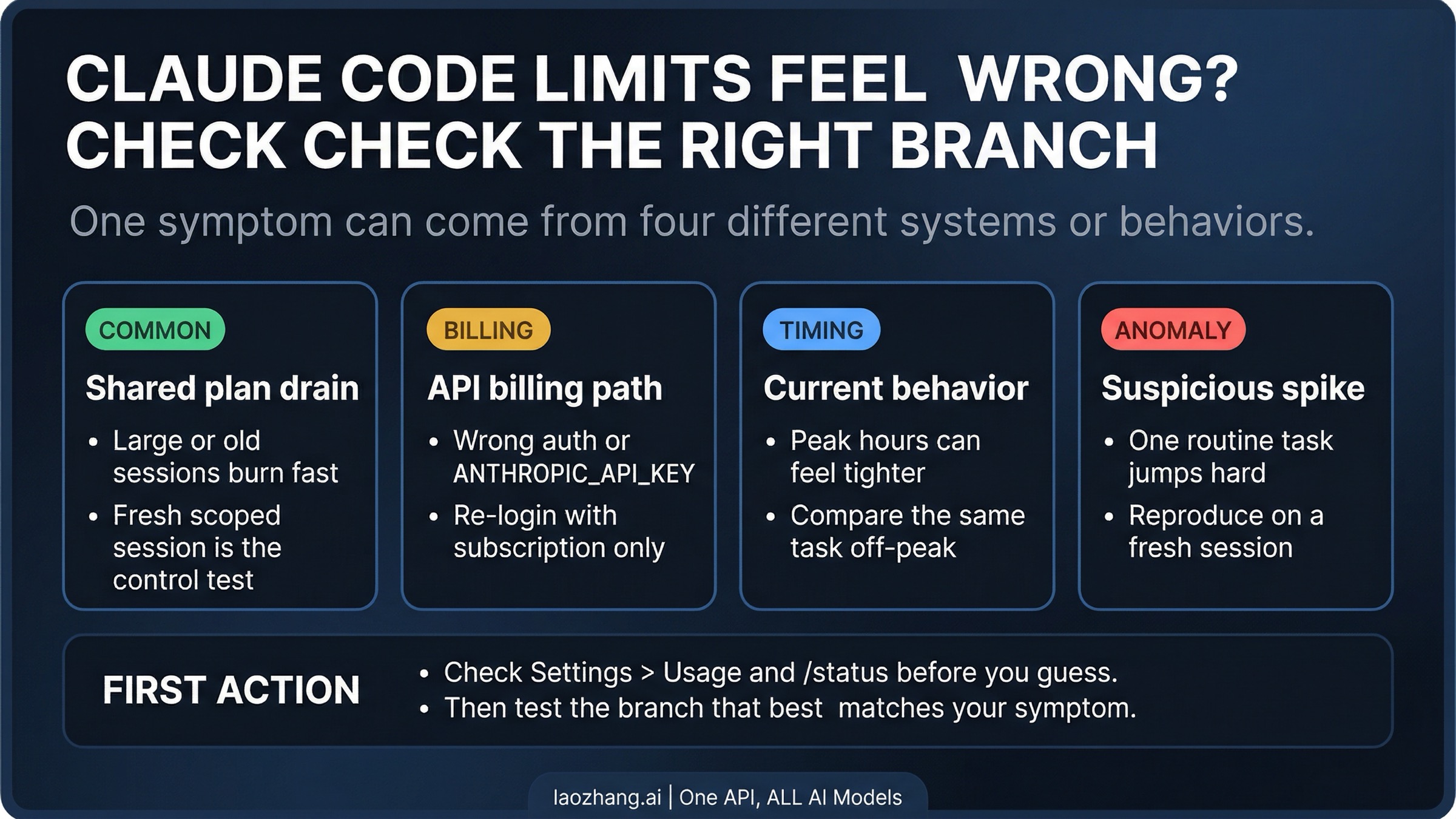
Claude Code Usage Limits Explained
If you use AI coding tools for real work, vague caps and shifting limits are maddening. You plan around them, build habits around them, then hit a wall without much warning. That is why the recent discussion around Claude Code usage limits matters right now. Anthropic is trying to explain how limits work, why transparency is hard, and why its product team prefers what it calls a lean harness over a bloated tool stack.
For developers, this is not abstract product talk. It affects cost control, workflow design, and trust. If an AI coding assistant becomes part of your daily loop, you need to know what happens under heavy use, what the company will disclose, and whether the product is built for speed or for guardrails. Look, those choices shape whether Claude Code feels like a reliable editor companion or a meter that keeps ticking in the background.
What matters most
- Claude Code usage limits are tied to real compute costs, not just marketing tiers.
- Anthropic appears to favor partial transparency over fake precision when limits shift.
- The “lean harness” idea suggests fewer layers between the model and your terminal workflow.
- Developers should design around variability, especially for long sessions and agent-like tasks.
Why Claude Code usage limits are a real product issue
Usage caps are easy to dismiss until they break your workflow. A casual chatbot user can tolerate fuzzy quotas. A developer in the middle of a refactor cannot. If your assistant stops halfway through a debugging sprint, the interruption has a cost.
That is the core tension. AI companies want flexibility because demand, inference cost, and abuse patterns change fast. Users want stable rules because software work depends on predictability. Who is wrong here? Neither side, really.
But companies still have to pick a side when they explain the product. Anthropic’s message, at least from this reporting, leans toward honesty about uncertainty instead of pretending every cap is fixed and simple. I respect that instinct. Developers usually spot fake clarity in about five minutes.
For working developers, the problem is not that limits exist. The problem is when limits are fuzzy enough to disrupt planning but concrete enough to block work.
What Anthropic seems to mean by transparency
Transparency sounds great until the underlying system keeps moving. Model load changes. Abuse controls change. Premium users behave in ways companies did not predict. And enterprise demand can reshape consumer access overnight.
So what should a company disclose? The exact token math, dynamic thresholds, and backend policy logic? Maybe. But there is a tradeoff. Too much detail can help bad actors game the system, and some metrics stop being useful once they change every week.
Here is the more solid standard. Tell users what kind of limit they face, what behaviors are likely to trigger it, and what level of variation to expect. That is not perfect transparency. It is usable transparency.
Honestly, that is often enough if the wording is plain and the alerts come early.
The lean harness approach, and why it matters
The “lean harness” phrase stands out because it says a lot about product philosophy. A harness, in this context, is the layer around the model that handles tools, prompting, context, permissions, and workflow structure. A lean one tries not to smother the model with too much scaffolding.
Think of it like a chef with a sharp knife and a clean station versus a kitchen packed with gadgets. More tools can help, but too many can slow the work and hide weak fundamentals.
That matters for coding assistants because every extra layer adds friction. You may get more controls, but you can also get slower feedback, brittle tool routing, and harder-to-read failures. A lean setup can feel faster and more direct, especially in terminal-based coding where flow matters more than flashy UI.
Less wrapper, more model.
There is a risk, of course. Lean systems can leave more burden on the user. If the harness is too thin, you may end up doing manual cleanup, context management, or safety checks that a thicker product would handle for you. But for experienced developers, that trade can be worth it (and often is).
How developers should adapt to Claude Code usage limits
If you rely on Claude Code, assume the limits will stay somewhat dynamic. Build your workflow like you would build around a cloud service with burst constraints. Not ideal, but manageable.
Practical ways to reduce disruption
- Batch related tasks. Ask for one strong pass on a file set instead of many tiny back-and-forth requests.
- Keep your prompts scoped. Large context windows are useful, but they burn budget fast.
- Use local tools for routine checks. Let your linter, tests, and grep handle what they do best.
- Save your high-value AI turns. Spend them on architecture, tricky bugs, and code review logic.
- Have a fallback. Keep another model or a manual workflow ready for long sessions.
That last point matters more than people admit. Depending on one AI tool for all coding work is like building on a single cloud region. Fine until it is not.
Where Claude Code fits against other AI coding tools
The broader market includes GitHub Copilot, OpenAI’s coding products, and a growing pack of terminal agents and IDE plugins. Most of them face the same basic problem. Compute is expensive, demand is spiky, and power users can burn through resources at a startling pace.
Anthropic’s angle seems a bit different. It appears more willing to frame the product around serious users who care about model behavior, tool access, and workflow shape, rather than around pure autocomplete convenience. That can be a smart lane. Developers who live in the terminal usually care less about glossy promises and more about whether the thing holds up at 4 p.m. on a Tuesday.
And that is where Claude Code usage limits become a competitive issue, not just an operational one. If users believe the product is strong but the access model is murky, they may still keep it in the toolbox, just not in the center slot.
What this says about AI product maturity
There is a larger story here. AI companies are moving from demo-stage excitement to utility-stage scrutiny. At that stage, users ask boring questions. What are the limits? What triggers them? How often do they change? Can I depend on this for paid work?
Those are healthy questions. They mark the moment when a product stops being a novelty and starts auditioning for a real budget line.
Ars Technica’s reporting points to a product team trying to answer those questions without overpromising. That is the right instinct. The wrong move would be to pretend a fluid system is fixed, then quietly patch the rules later.
The companies that win this market will not just have strong models. They will explain constraints clearly enough that professionals can plan around them.
What to watch next for Claude Code usage limits
If you are evaluating Claude Code, watch for three things over the next few product cycles.
- Clearer user-facing language about how limits behave during heavy sessions.
- Better warning systems before you hit a cap.
- Evidence that the lean harness approach keeps speed high without making reliability worse.
That is the real test. Fast and flexible is nice. Predictable and fast is what earns trust.
My view is simple. If Anthropic can keep Claude Code technically sharp while giving developers more usable clarity on limits, it has a real shot at becoming a default tool for serious coding work. If not, developers will do what they always do. They will route around the bottleneck.


