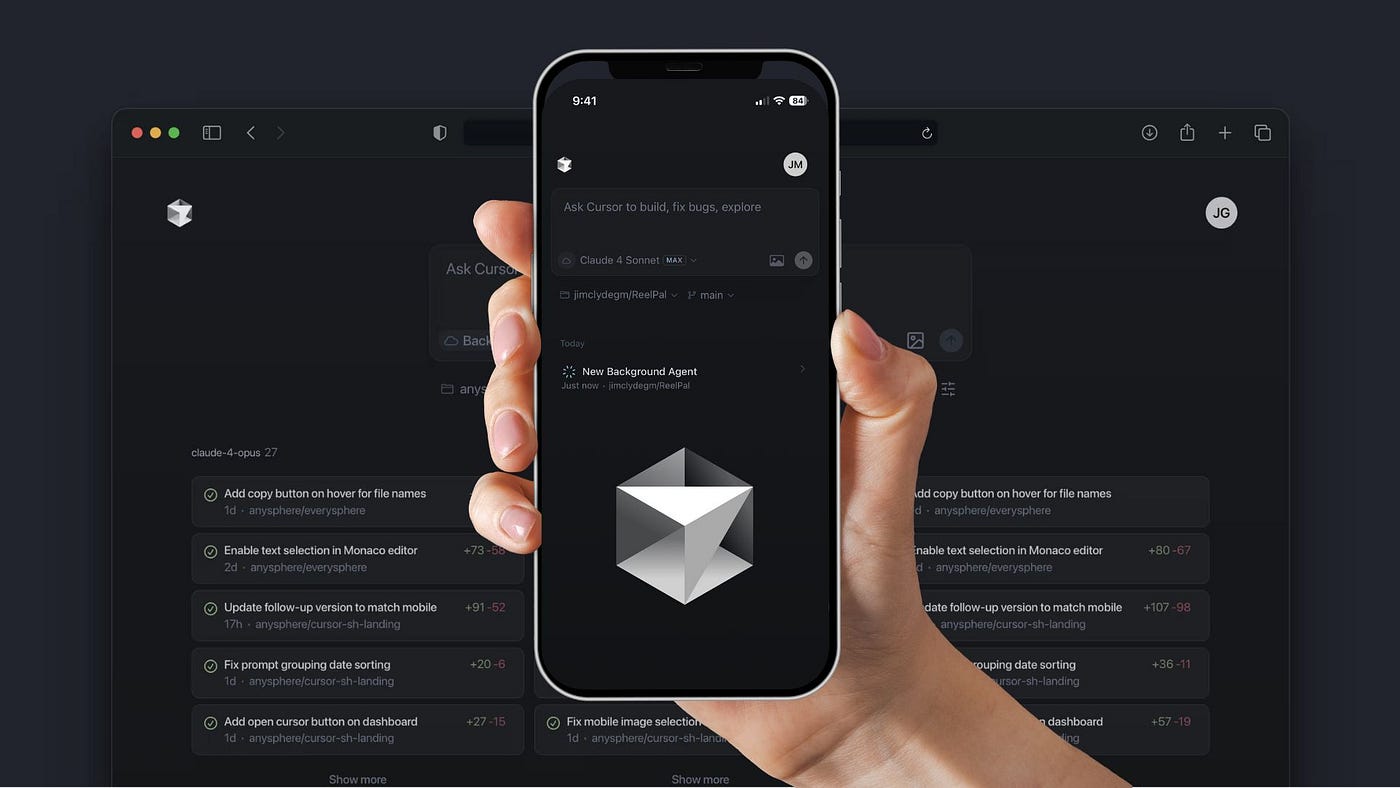
Cursor Mobile App Brings Coding Agent Control to Your Phone
Developers keep asking for the same thing from AI coding tools. Let me check my agent without sitting at my desk. That is the real promise behind the Cursor mobile app, and it matters because coding workflows no longer live in one place. You review a task on the train. You spot a bad branch while waiting in line. You want to approve, redirect, or stop an agent before it runs off with your repo. That kind of control is no longer a nice extra. It is becoming part of the job. Cursor’s move follows the broader shift in AI coding from passive autocomplete to active agent supervision, where speed only helps if you can keep a hand on the wheel. Who wants a smart assistant that you cannot reach when it matters?
What stands out about the Cursor mobile app
- You can guide the coding agent away from your laptop. That is the core change.
- The app fits real developer habits. People review code, answer messages, and make decisions on the move.
- It narrows the gap between agent output and human oversight. That gap is where most mistakes happen.
- It reflects a bigger industry shift. AI coding tools are moving from suggestions to delegated work.
Why the Cursor mobile app matters now
Cursor built its reputation on an opinionated editor and an agent that can take on multi-step coding work. The mobile app extends that model into the places where work actually happens. Not every decision needs a full screen and a keyboard.
Look, this is not about writing whole features from your phone. It is about supervising the process. You can approve a change, redirect the agent, or catch a mistake before it spreads. That is a different job from editing code, and it is the one mobile is suited for.
The real value here is not mobile coding. It is mobile control.
How the Cursor mobile app changes the workflow
Think of it like a chef checking the oven from another room. The meal still needs the kitchen, but you do not need to stand beside the stove every second. The same logic applies here. The agent can keep moving, while you make fast calls from wherever you are.
Good use cases
- Reviewing agent progress during a commute.
- Approving a small safe change without opening a laptop.
- Stopping a bad direction before it wastes compute or time.
- Keeping an eye on tasks that run for a long stretch.
And that matters because agentic coding is messy in practice. The model can take a sensible step, then a strange one. One quick intervention can save you from a long cleanup later.
What this says about AI coding tools
The Cursor mobile app is part of a larger pattern. AI tools are spreading from creation into oversight. That shift is seismic for developer tools. Once an agent can act on your behalf, the interface has to support interruption, review, and correction.
That is also why this release feels more practical than flashy. Mobile support sounds minor until you think about how often developers step away from their desks. Meetings happen. Commutes happen. Bugs happen at the worst possible time. A phone is not a replacement for a full editor, but it is a strong checkpoint.
Where the limits still are
Mobile oversight has a ceiling. You are not going to refactor a service architecture on a phone screen. You are not going to inspect a gnarly diff with the same focus you would get on a monitor. But does every interaction need that level of depth? No. Some tasks only need a clear yes, no, or change direction.
The challenge for Cursor will be keeping the mobile app simple without making it shallow. If the controls are too thin, power users will ignore it. If they are too busy, nobody will trust it in a hurry. That balance is hard, and it is the whole game.
What to watch next
If Cursor keeps building this out, the next test is obvious. Can the app handle richer review flows, better notifications, and safer agent handoffs without turning into a cluttered remote desktop clone? That is where the product gets interesting.
For now, the mobile app signals a clear bet. AI coding is no longer just about generating code faster. It is about staying close enough to the work to steer it. And that is where the real competition is heading.
Next step: If you already use Cursor, watch how often you wish you could intervene from outside your editor. That frustration is the product roadmap.


