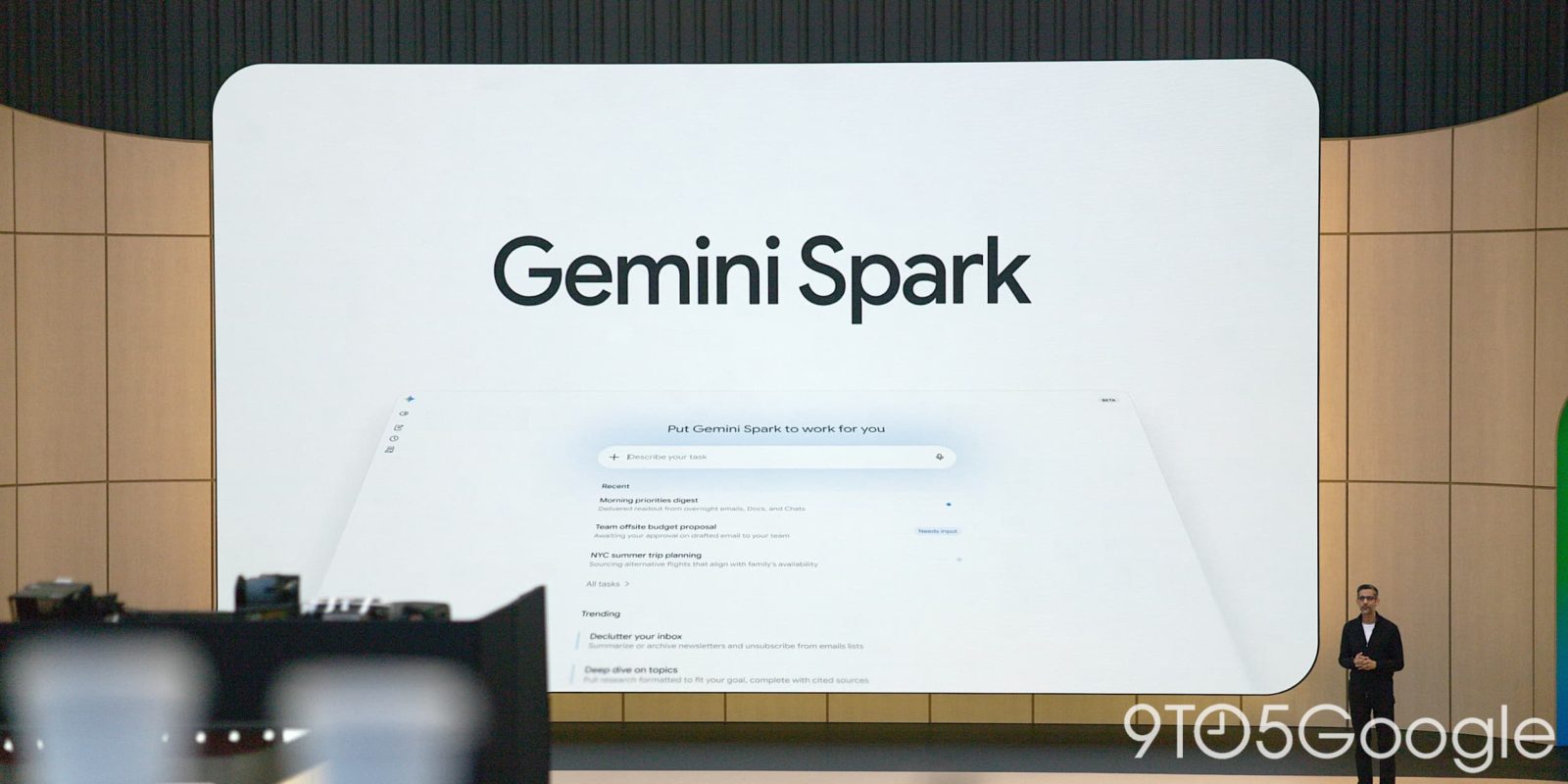
Gemini Spark Updates: July 2026 Changes
You do not need another AI feature list. You need to know which changes save time, which ones need testing, and which ones are mostly packaging. The Gemini Spark updates Google posted in July 2026 matter because the Gemini app is becoming less of a chatbot and more of a daily work surface for search, writing, planning, and multimodal tasks. That shift affects how you ask questions, move between tools, and trust AI output. Google’s update, published on its official blog, points to a familiar pattern in the AI race: faster responses, tighter app integration, and more help with visual and creative work. Useful? Yes. Finished? Not even close. The real question is simple. Can these updates make Gemini more dependable when your work gets messy?
What changed at a glance
- Google framed the July 2026 release as a set of Gemini app improvements rather than a single headline feature.
- The update points toward more context-aware help across writing, planning, image work, and everyday search-style questions.
- Users should test the features with real tasks, not polished demo prompts.
- Privacy, source checking, and output review still matter, especially for work content.
Why the Gemini Spark updates matter now
Google has a distribution advantage that most AI firms would envy. Gemini sits close to Android, Chrome, Search, Workspace, and Google’s consumer apps. That gives every Gemini app update a bigger footprint than a normal product patch.
But scale cuts both ways. If Gemini gives you sharper answers and better task flow, millions of users benefit. If it gives you confident mush, that mistake spreads fast. I have covered enough AI launches to know that the flashy demo is usually the easy part.
The smart move is to treat the Gemini Spark updates as a workflow test, not a promise that the app can handle everything you throw at it.
Think of it like a new kitchen knife. A sharper blade helps, but only if you know what you are cutting, and you still keep your fingers out of the way.
Gemini Spark updates and the shift from chatbot to work companion
The most important change is not one button or one new menu. It is the broader direction. Gemini is being pushed into the role of an assistant that can carry context across tasks, understand richer prompts, and help with mixed media inputs.
That matters because users rarely work in neat boxes. You may start with a question, paste a rough note, ask for a summary, attach an image, then turn the result into an email. A good AI app needs to handle that chain without making you start over each time.
This is where Google has to prove itself.
For everyday users, the practical test is simple. Ask Gemini to help with a real errand, a trip plan, a product comparison, or a draft message. Then check whether it keeps track of constraints, such as budget, timing, location, tone, and audience. If it forgets half the brief after two turns, the update is less useful than it sounds.
How to test the Gemini Spark updates yourself
Do not judge the new Gemini app experience with one cute prompt. Use a small test set. I recommend five tasks that reflect your actual day.
- Summarize something messy. Paste notes from a meeting or article and ask for decisions, open questions, and next steps.
- Compare options. Ask Gemini to compare two services, products, or travel routes, then request sources or assumptions.
- Rewrite for tone. Give it a blunt message and ask for a version that is firm but calm.
- Plan with constraints. Ask for a schedule that includes time limits, budget, dietary needs, or location.
- Handle a visual prompt. If your Gemini app version supports image input, test it with a screenshot, receipt, or photo that has real details.
After each task, grade the output on accuracy, usefulness, and friction. Did it save time? Did you need to fix obvious errors? Did it ask smart follow-up questions, or did it guess?
What the Gemini Spark updates mean for work
For teams, Gemini’s July 2026 direction is a nudge to revisit AI rules. Employees are already using consumer AI tools, with or without formal approval. A better Gemini app only makes that more likely.
Managers should not respond with panic. They should set clear lanes. For example, Gemini may be fine for brainstorming blog outlines, summarizing public documents, or drafting first-pass emails. It may be off limits for unreleased financial data, customer records, legal strategy, or private HR issues.
Here’s the thing. The model can be useful and still be wrong.
A solid team policy should cover:
- What data can be entered into Gemini
- Which outputs need human review before use
- How employees should cite or verify AI-assisted research
- Who approves Gemini use in regulated workflows
- How teams report bad outputs or privacy concerns
That may sound dry, but it saves trouble later. AI policy is a bit like building code. Nobody praises it when the house stands, but everyone notices when the roof leaks.
Where Google still needs to earn trust
Google has strong AI research credentials, including work from Google DeepMind and years of search infrastructure. Still, consumer trust is earned in small moments. Does Gemini admit uncertainty? Does it show where facts came from? Does it avoid inventing details when the prompt is vague?
The July 2026 Google blog post gives users a reason to try the newest Gemini app features, but the burden is on Google to make the product reliable under pressure. Pretty outputs are not enough. Source handling, memory controls, privacy settings, and consistent behavior will decide whether people keep using it after the novelty fades.
And what should you watch first? Look for how Gemini handles corrections. If you challenge an answer and it improves with evidence, that is useful. If it apologizes and then guesses again, be careful.
A practical way to use Gemini after the July update
If you want a low-risk starting point, use Gemini as a first-draft and second-brain tool. Let it sort, condense, rephrase, and propose options. Keep final judgment with you.
Try this workflow for one week:
- Start each Gemini session with your goal, audience, and constraints.
- Ask for assumptions before asking for a final answer.
- Request a short version first, then expand only where needed.
- Check factual claims against original sources, especially for dates, prices, names, and policies.
- Save prompts that work well, since repeatable prompts beat one-off experiments.
This approach keeps the tool in its lane. It also helps you separate real productivity from demo sparkle (the kind that looks good in a launch post but breaks on Tuesday morning).
What to watch next
The Gemini Spark updates show Google pushing the Gemini app toward a more useful daily role, but the next few months will matter more than the announcement. Watch for better source display, stronger app connections, clearer privacy controls, and fewer moments where the model sounds sure without being right.
My advice is simple. Pick three tasks you do every week, run them through Gemini, and keep only the workflows that save time after review. If the tool cannot clear that bar, no product name will rescue it.


