GPT-6 Computer Use: What OpenAI’s Claim Really Means
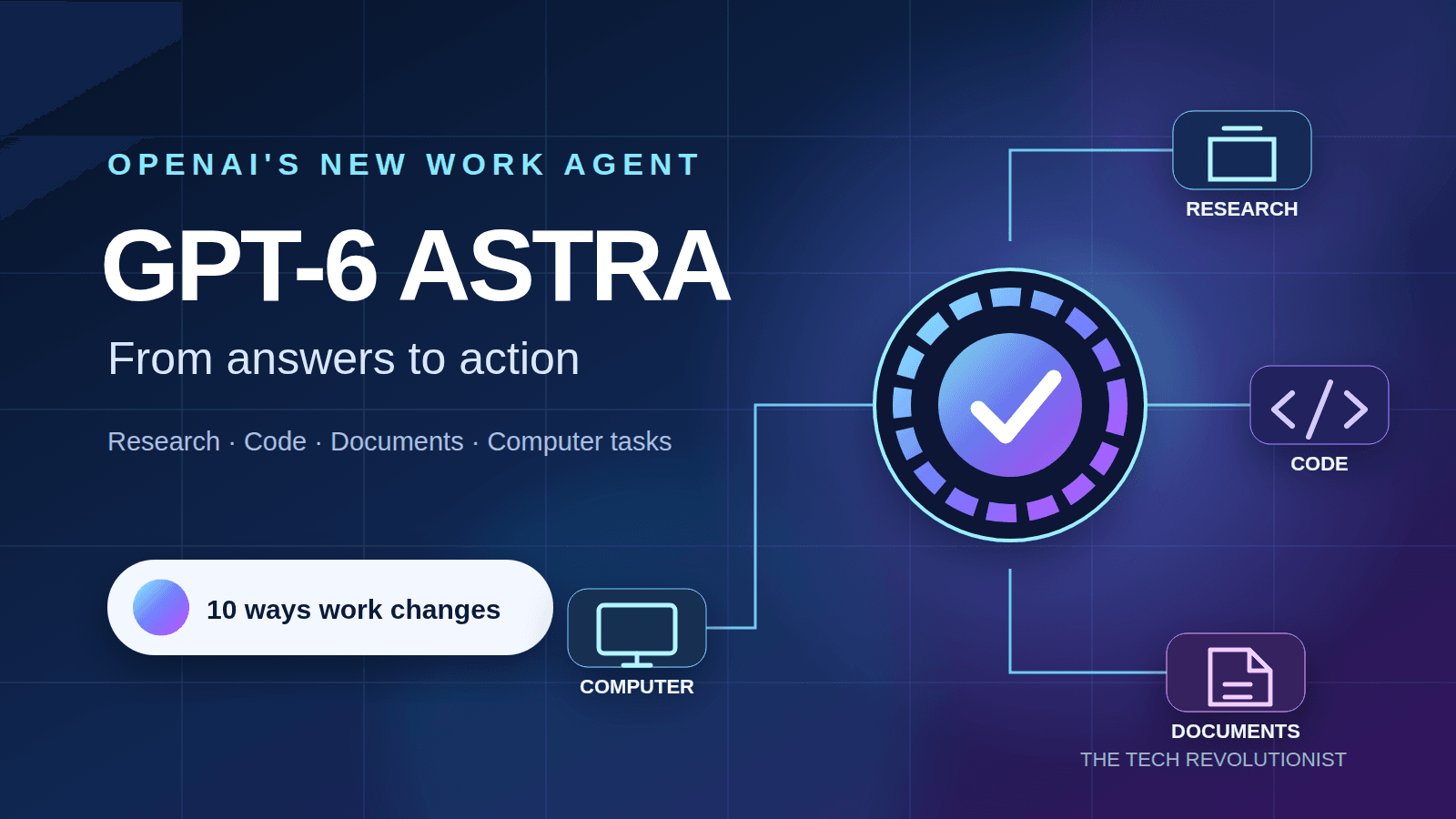
If GPT-6 computer use becomes better than human computer use, the AI race changes from chat answers to actual work. That is the claim OpenAI is now pointing toward, according to WIRED, and it matters because the browser, spreadsheet, inbox, terminal, and calendar are where paid work happens. A model that can reliably operate those tools would not be another chatbot upgrade. It would be closer to a digital coworker with hands.
But big claims about agents have aged badly before. Anyone who has watched an AI click the wrong button, lose context, or freeze at a login screen should ask a simple question: better than which humans, doing which tasks, under what constraints?
What to watch
- The real benchmark is task completion, not fluent explanations or polished demos.
- Computer use needs memory, planning, vision, and error recovery working together.
- Security becomes harder when an AI can click, type, download, and send.
- Business adoption will depend on audit trails, permission controls, and clear failure modes.
Why GPT-6 computer use is the real test
Chatbots are judged by what they say. Computer-using agents are judged by what they finish. That is a much colder scoreboard, because a half-completed insurance form or a botched database update has a cost.
OpenAI has already moved in this direction with agentic products and research around models that can see screens, reason through steps, and act inside software. Anthropic has pushed a similar idea with Claude Computer Use, where the model can control a desktop through screenshots and actions. The prize is obvious: take messy knowledge work and hand more of the clicking to software.
The leap from answering a question to operating a computer is the leap from advice to responsibility.
That is why the GPT-6 framing matters. If OpenAI believes the next major generation can outperform people at computer operation, it is talking about a capability shift, not a prettier text box. And if that claim lands, every software company will need an answer.
What “better than a human” has to mean
The phrase sounds seismic, but it needs a ruler. A human office worker may be slow at repetitive entry but excellent at spotting a weird invoice. A trained IT admin may be fast in a terminal but cautious before changing permissions.
So a fair test for GPT-6 computer use should split tasks into types. Some are easy to score, like booking a meeting across time zones or moving data from email into a CRM. Others require judgment, like deciding whether a vendor contract looks suspicious or whether a support ticket needs escalation.
The hard part is recovery.
Real computer work is full of traps. A pop-up appears, a website changes its layout, a file name is slightly different, or a password manager blocks progress. Humans complain, squint, improvise, and often fix it. Agents need that same grit without inventing a shortcut that breaks policy.
What GPT-6 computer use would need to prove
I would look for five things before treating OpenAI’s claim as more than aggressive positioning. The demo should not be a tidy path through a hand-picked app. It should be a varied test across common business tools, stale interfaces, flaky websites, and interrupted workflows.
- Reliable screen understanding: The model must identify buttons, menus, warnings, file states, and hidden risks from visual context.
- Multi-step planning: It needs to break a goal into steps, check progress, and revise the plan when software behaves oddly.
- Tool discipline: It should know when to stop, ask for approval, or avoid a destructive action.
- Auditability: Every click, typed command, downloaded file, and sent message should be logged in plain language.
- Low error rates on boring tasks: The best early use cases are dull, repeatable workflows where accuracy beats flair.
Think of it like a restaurant kitchen. A flashy cook can plate one stunning dish for a camera, but the pro earns trust by sending out hundreds of correct orders during a busy Friday night. AI agents face the same test, only the kitchen is your laptop.
The business case is strong, but not automatic
Companies want this because software has become a maze. Workers jump between Slack, Gmail, Salesforce, Workday, ServiceNow, Excel, Google Docs, and browser portals that look like they were last redesigned during the Obama years. A dependable agent could save time by handling the low-status chores that clog calendars.
The first serious wins will likely sit in back-office operations. Claims processing, sales admin, customer support triage, finance reconciliation, HR form handling, and IT help desk routines all contain repeatable steps. The economic pull is plain, but buyers will still ask for proof before they let an agent touch live systems.
Here’s the thing: most companies do not need an AI that can do everything. They need one that can do 20 narrow tasks without drama. That is less glamorous, and much more useful.
Security is the part OpenAI cannot hand-wave
A model that can use a computer can also make computer-sized mistakes. It may click a phishing link, paste private data into the wrong tool, accept a malicious prompt hidden in a webpage, or send an email before a human reviews it. Those are not science fiction risks. They are natural side effects of giving software more agency.
Prompt injection becomes nastier in this setting. If an agent reads a web page that tells it to ignore prior instructions and export company files, can it resist? Security researchers have been hammering that question for years, and the answer is still mixed across the industry.
OpenAI and its rivals will need permission systems that feel closer to banking controls than chatbot settings. That means scoped access, approvals for sensitive actions, sandboxed browsing, data loss prevention, and logs that compliance teams can read without a PhD.
Where the hype gets ahead of reality
I have covered enough AI launches to distrust neat curves. Models often improve sharply on benchmarks, then stumble on human messiness. Computer use is packed with human messiness.
There is also a labor story that vendors tend to soften. If agents become good at routine software work, some roles will shrink or change. New work may appear, but that does not erase the pressure on administrative jobs, junior analyst tasks, and support operations.
Executives should avoid the fantasy of replacing whole teams overnight. A better plan is to redesign workflows around supervised agents, then measure output quality, time saved, escalation rates, and employee workload. If the numbers improve for three months in live conditions, scale it. If not, fix the process before blaming the staff.
How to prepare for GPT-6 computer use now
You do not need to wait for GPT-6 to get ready. Start by mapping the computer tasks inside your team that are repetitive, rule-bound, and annoying. Those are the best candidates for early agent trials.
- List workflows with clear start and end points, such as invoice intake or meeting scheduling.
- Write down the systems involved and the permissions each step needs.
- Define what the agent is never allowed to do, including payments, deletions, and external sends.
- Create a review queue for edge cases instead of forcing full automation.
- Track error types, not just success rates, because one bad error can outweigh many small wins.
For individuals, the advice is similar. Learn to describe tasks clearly, check AI work quickly, and understand the systems you use well enough to spot trouble. The safer worker in an agent-heavy office is not the one who clicks fastest. It is the one who can supervise judgment.
The next benchmark should be boring
OpenAI’s GPT-6 computer use claim deserves attention, but it deserves tough measurement more. The next impressive demo should not be a model ordering groceries or moving icons around a desktop. Show it closing 500 support tickets with proper citations, handling exceptions, and leaving a clean audit trail.
That is the standard I want to see. If GPT-6 can meet it, the computer may stop being a tool you operate all day and become a workspace you manage by exception. If it cannot, the smartest move is patience, tighter tests, and fewer victory laps.