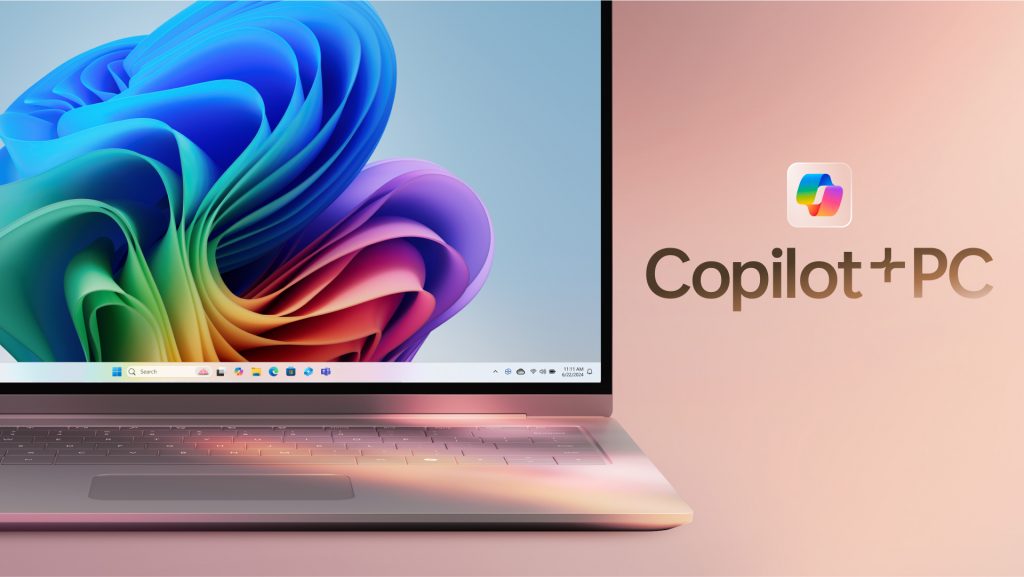
Microsoft AI PCs Get Nvidia Power and a Windows 11 Reset
Your next PC may be sold less on battery life and more on how quickly it can run AI on your desk. That is the bet behind Microsoft AI PCs, now getting a fresh push through new Nvidia chip support and a revamped Windows 11 experience, according to TechCrunch. The timing matters. People are tired of cloud-only AI tools that feel bolted on, slow, or risky for private work. Microsoft wants more AI to run locally, where latency drops and sensitive files can stay closer to you. That sounds useful. It also raises the hard question I have heard for years on this beat: will these features solve real work problems, or will they become another row of buttons most people ignore?
What Changes Now
- Microsoft AI PCs are moving closer to local AI workflows, with Nvidia hardware aimed at heavier on-device processing.
- Windows 11 is being repositioned around AI features, not just apps and settings.
- Developers matter as much as chips, since useful AI PCs need software that takes advantage of NPUs and GPUs.
- Privacy and trust remain the pressure points, especially after earlier user backlash over AI features that watched too much.
Why Microsoft AI PCs Need Nvidia
Microsoft has spent the past few years trying to make the PC feel relevant again in an AI-first software cycle. The company has already pushed Copilot into Windows, Office, Edge, and developer tools. But cloud AI alone has limits. It costs money, adds delay, and can make users nervous about where their data goes.
Nvidia changes the pitch. Its chips are already the default engine for much of the AI boom in data centers. Bringing more Nvidia silicon into PCs gives Microsoft a stronger story for local inference, image generation, video effects, coding assistants, and background productivity tools that do not always need a round trip to a server.
Think of it like cooking. Cloud AI is ordering delivery. Local AI is having a serious stove in your kitchen. One is easy, but the other gives you more control when you need it.
The real promise of Microsoft AI PCs is not that they add AI branding to laptops. It is that they make AI feel instant, private, and boringly useful.
What the Revamped Windows 11 Means for Microsoft AI PCs
Windows 11 has had an uneven AI rollout. Copilot arrived with plenty of visibility, but visibility is not the same as value. A sidebar assistant can help sometimes, yet it does not change the whole PC experience unless it understands files, context, permissions, and user intent.
The revamped Windows 11 approach appears aimed at deeper integration. That likely means more AI functions built into search, settings, file handling, media tools, and productivity flows. For users, the best version of this is simple: ask the PC to find a buried document, summarize a folder, edit a meeting clip, or adjust system settings without hunting through menus.
That is the bar.
Microsoft also has to avoid repeating past mistakes. Recall, its controversial feature designed to capture snapshots of user activity for later search, drew sharp privacy criticism before Microsoft changed course. The lesson was clear. AI features on a PC must explain what they collect, where data is stored, and how users can shut them off.
Microsoft AI PCs and the Developer Problem
Hardware launches get headlines. Developer support decides whether the device becomes useful. I have seen this movie before with touchscreens, pen input, mixed reality, and Windows on Arm. The demo looks tidy. Then the app gap shows up.
For Microsoft AI PCs to matter, developers need stable tools and clear incentives. They need to know whether to target Nvidia GPUs, neural processing units, cloud APIs, or some mix of all three. They also need distribution paths that make AI features easy to ship without turning every app into a battery drain.
What app makers should watch
- Local model support: Can apps run compact language, vision, or audio models on the device without messy setup?
- Performance controls: Can users choose speed, battery savings, or privacy modes?
- Windows APIs: Does Microsoft provide reliable hooks for search, context, identity, and permissions?
- GPU and NPU scheduling: Can the system share AI workloads without slowing normal tasks?
- Enterprise management: Can IT teams audit, restrict, and approve AI functions at scale?
Here’s the thing. Businesses will not adopt AI PCs because a launch event says they are smart. They will buy them if the devices reduce support tickets, keep data safer, and help employees finish work faster.
Who Should Buy Microsoft AI PCs First?
Most people do not need to rush. If you browse, email, write documents, and use web apps, your current laptop may be fine. The early buyers should be people whose work already strains normal machines or depends on repeated creative and analytical tasks.
Developers, video editors, designers, analysts, and security teams have the clearest case. Local AI can help with code completion, asset tagging, transcription, test generation, image work, and document review. And if those tasks happen on confidential files, local processing becomes more attractive.
Students and casual users should be more cautious. A cheaper laptop plus cloud AI tools may be the smarter buy until Windows AI features prove their worth in daily use.
The Privacy Test for Microsoft AI PCs
AI on a personal computer is more intimate than AI in a browser tab. Your PC holds drafts, screenshots, passwords, calendars, photos, contracts, medical PDFs, tax forms, and half-finished thoughts. Any system that indexes or interprets that material needs strict boundaries.
Microsoft needs to make privacy controls plain enough that normal people can use them. Not buried. Not written in lawyer fog. Plain.
- Show when AI is reading local content.
- Keep sensitive processing on-device by default where possible.
- Let users delete AI indexes and history in one place.
- Give enterprises admin controls with audit logs.
- Explain which features require cloud processing.
Can Microsoft make AI feel helpful without making Windows feel watched? That question may define this generation of PCs more than benchmark scores.
Microsoft AI PCs Are a Bet on Habit
The PC market does not shift because of one chip or one Windows update. It shifts when people build new habits. Search replaced folder digging for many users. Cloud sync replaced USB drives. Video calls became normal after years of being awkward.
AI PCs need that kind of habit change. If Windows can turn scattered files, meetings, messages, and apps into something easier to control, Microsoft has a strong product cycle ahead. If the features feel like demos, the market will shrug.
My practical advice: wait for independent reviews, battery tests, and real app support before paying a premium. The Nvidia angle gives Microsoft AI PCs more muscle, but muscle alone does not make a better machine. The next proof point is whether Windows 11 can make AI feel like part of the operating system rather than a sticker on the box.


