Google AI Updates 2026: What Matters from the February Drop
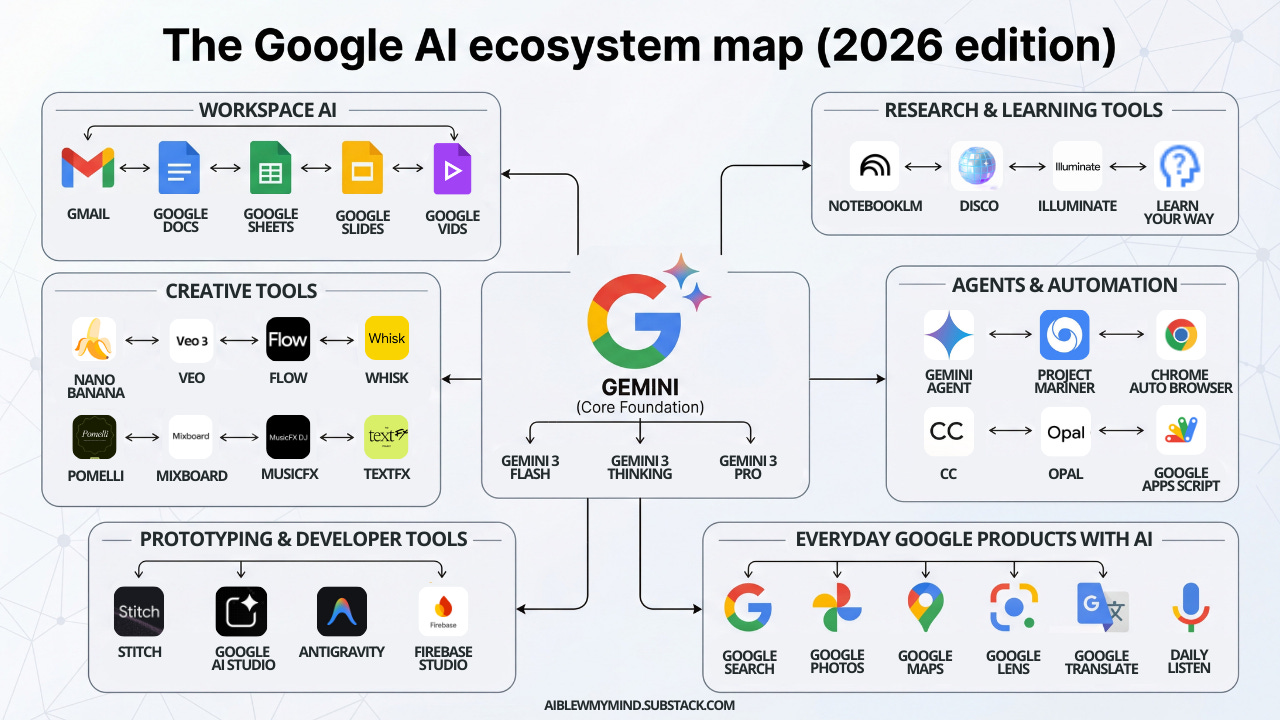
You likely skimmed headlines about Google AI updates 2026 and wondered what actually changes your day. The February announcements bundle new Gemini upgrades, fresh Workspace assists, and more guardrails for safety. The noise is loud because everyone wants AI that works without breaking trust. This roundup cuts past the launch gloss, shows where the value lands, and flags the traps to avoid. Think of it as the tech equivalent of reading the box score after a long basketball game: the stats tell you who played well and who still needs work.
Why This Drop Matters Now
- Gemini models now ship with better multimodal context limits for Search and Workspace.
- Workspace gains inline AI proofreading plus spreadsheet pattern suggestions.
- Pixel devices pick up on-device summarization to cut cloud latency.
- New transparency tools let you spot AI-generated media and source context.
One sentence. Actionable.
Google AI updates 2026: What actually shipped
Google pushed larger context windows into Gemini Advanced, bringing long-form document support inside Docs and Gmail. That means you can ask for contract redlines or thread digests without copying text into separate tools. Search now folds in AI Overviews with clearer citations, reducing the half-baked answers that plagued early rollouts. On-device features for recent Pixel hardware trim response times and blunt privacy worries because fewer requests leave your phone.
Look, the February slate is less about shiny demos and more about steady reliability—the stuff users actually pay for.
Safety signals moved forward too. Google expanded SynthID watermarks for images and short video, and tied them into Chrome’s sidebar so you can check provenance without extra extensions. The company also published more training data disclosures, a welcome nod to researchers who keep asking for receipts.
Where Google AI updates 2026 help your workflow
Workspace is the quiet star. You can drop a policy doc into Docs, ask for a tone shift, and get suggestions that respect compliance terms instead of rewriting them away. Gmail’s thread summarizer now pulls action items with timestamps, which beats scrolling a 40-message chain on deadline. Sheets adds pattern spotting for quarterly metrics, flagging outlier regions the way a good editor circles weak sentences.
Mobile changes matter because on-device Gemini can summarize voice memos and meeting notes while you ride the subway. That’s the productivity equivalent of preheating an oven before you get home: the heavy lifting happens early, so you plate results faster.
How to evaluate the claims
Try the new AI Overviews side by side with standard search queries and check citation depth. Do the sources match your expectations or is the system surfacing fringe blogs? For Workspace, run a controlled test: edit a draft with and without AI suggestions, then compare accuracy and time saved. If you handle sensitive data, toggle the new transparency controls and confirm what leaves your domain. Does the reduced latency on Pixel actually cut your support calls?
Honestly, pricing may be the sticking point. Gemini Advanced tiers climb if you exceed quota, so map feature gains against real usage. A small team might get more mileage from on-device tools than from the premium plan.
Strategic moves to make now
- Update your AI policy to include SynthID checks and citation verification steps.
- Set up A/B tests in Docs and Gmail to measure draft quality and response speed.
- Train teams on the new Workspace proofreading prompts with concrete examples.
- Audit mobile workflows to see where on-device summarization replaces manual notes.
These steps keep you in control rather than reacting to every flashy headline.
Limits, risks, and what to watch
Coverage gaps remain. Long-form reasoning still stumbles on highly specialized data, and multilingual performance lags in low-resource languages. The AI Overviews feature can still surface partial answers if the web corpus is thin. Think of it like a baseball rookie with a strong arm but a shaky glove—you celebrate the velocity but still watch for errors.
What happens if Google throttles free quotas again during high demand? Plan backup workflows so critical teams are not stuck when usage spikes.
So where does this go next?
Expect Google to keep stretching Gemini into more surfaces, but the real test is whether users see fewer errors and clearer sourcing. My bet: the next wave will focus on tighter integration between Chrome and Workspace, plus more on-device muscle. Are you ready to measure whether these updates deliver or just add noise?


