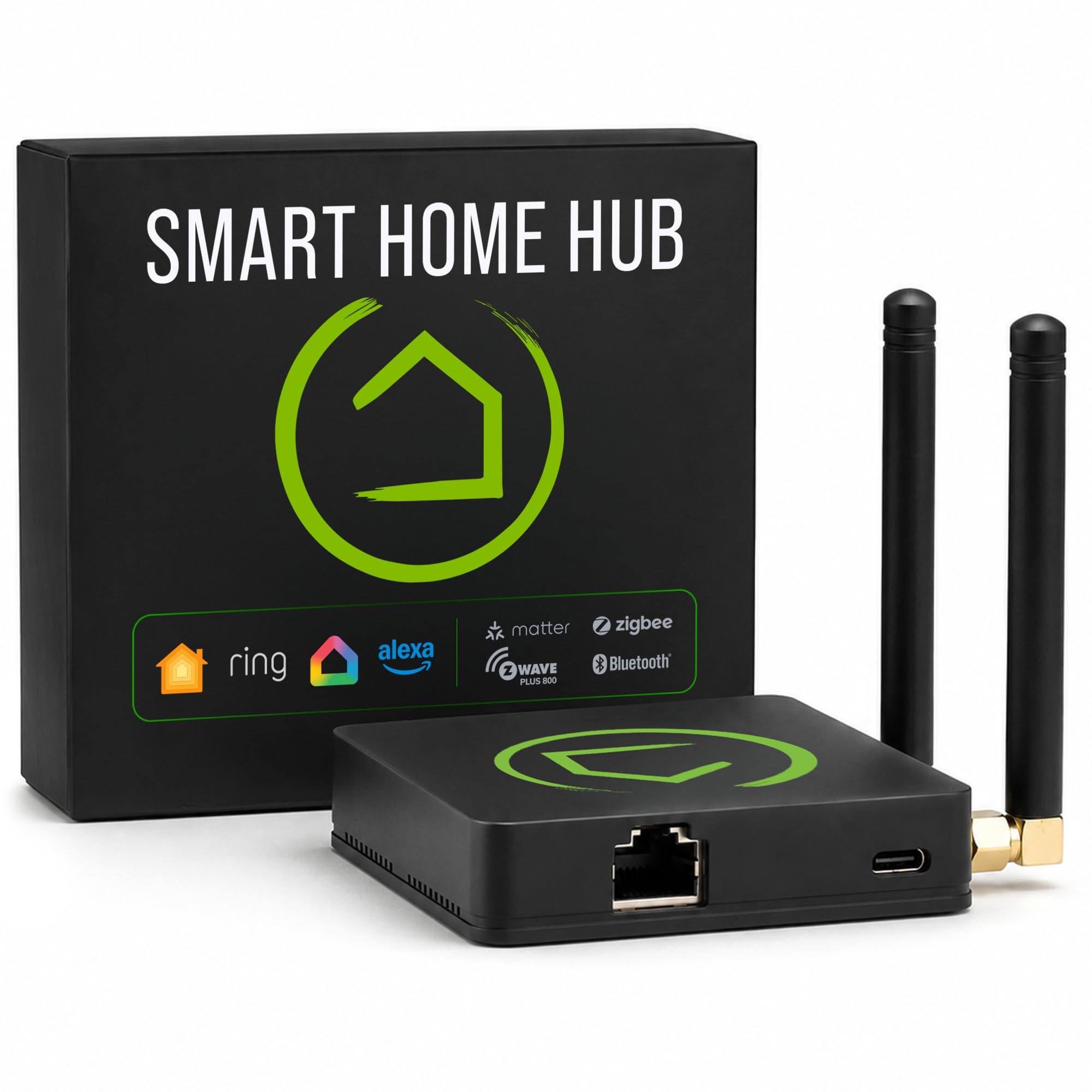
Local Smart Home Hub: Why Your NAS May Run the House Next
Your smart home probably depends on more clouds than you think. A light bulb app talks to one server, a camera leans on another, and your voice assistant sits in the middle collecting the crumbs. That setup works until an outage, subscription change, or abandoned product breaks a routine you use every day. The new push to turn a NAS into a local smart home hub matters because it moves control back inside your house. The Verge recently covered a NAS company trying to make that exact case, and the idea is not as odd as it first sounds. A NAS already sits on your network, runs all day, stores video, and often has enough processor headroom for home automation software. The question is whether storage brands can make this simple enough for normal people, not just the Home Assistant crowd.
Why This Shift Matters
- A NAS can run automations locally, which can reduce cloud dependence and speed up common routines.
- Storage boxes already handle camera footage, backups, user accounts, and remote access, so smart home control is a logical extension.
- The hard part is user experience. Home automation still punishes people who do not enjoy setup menus.
- Matter, Thread, Zigbee, and Z-Wave support will decide whether these systems feel open or boxed in.
Why a Local Smart Home Hub Fits on a NAS
A NAS is usually boring hardware, and that is a compliment. It sits near your router, runs around the clock, and has wired network access. Those traits are ideal for a smart home controller, where stability beats flashy design every time.
The Verge report points to a wider bet across home tech. Companies want the always-on box in your home to do more than store vacation photos and Plex libraries. Add smart home control, camera recording, media serving, and local AI features, and the NAS starts to look like the home server many tech people have wanted for years.
The pitch is simple: if your automations run in your house, your lights should still work when the internet does not.
That is the part I buy. I have covered enough smart home launches to know that cloud reliance ages poorly. Servers get shut down. Apps get redesigned. Free tiers become paid tiers. Local control does not solve every problem, but it removes one of the weakest links.
What a NAS-Based Local Smart Home Hub Must Get Right
Running a smart home from a NAS sounds tidy, but the details are unforgiving. A storage company cannot just slap a smart home tab into its dashboard and call it done. This is more like cooking for guests with allergies. The basics have to be right, or one small mistake ruins the meal.
1. Device support has to be broad
People do not buy all their devices from one brand. Your home may have Philips Hue bulbs, Aqara sensors, Eufy cameras, a Nest thermostat, and a random smart plug from a Black Friday sale. A useful hub has to play well with that mess.
That means support for standards and bridges, including:
- Matter for newer cross-platform devices
- Thread for low-power mesh accessories
- Zigbee for sensors, bulbs, and switches already in millions of homes
- Z-Wave for locks, switches, and older enthusiast setups
- RTSP or ONVIF for local security camera streams
If a NAS maker skips these, it will appeal only to users who already planned to tinker with Docker containers and USB radio sticks.
2. Setup has to feel less like server admin
Here is the thing. Local control has a reputation problem because setup can still feel like homework. Home Assistant has become much friendlier, but it remains intimidating for people who expect an Apple Home or Google Home style onboarding flow.
A NAS company has to hide the rough edges without hiding power features. That is a narrow path. Enthusiasts want YAML access, container options, backups, logs, and device-level control. Regular buyers want “turn on the hallway light when the door opens” without reading a forum thread from 2022.
Good defaults are non-negotiable.
3. Backups should be the killer feature
This is where NAS brands have a real advantage. Smart home hubs rarely treat configuration backups as a first-class feature, even though a broken hub can take down lights, sensors, climate routines, and camera rules.
A NAS already knows how to back up data. It should apply that discipline to automations. Imagine snapshot-based recovery for your smart home. If a bad update breaks your Zigbee network, roll back. If a device integration fails, restore yesterday’s setup. That is practical, not flashy.
Local Smart Home Hub vs Cloud Hubs
Cloud systems are easy to sell because they feel simple on day one. Scan a QR code, sign in, and the device appears in an app. The tradeoff comes later, when latency, outages, data sharing, or subscription fees start to bite.
A local smart home hub should win on three fronts: speed, privacy, and resilience. Motion lights should trigger faster because the command does not need a round trip to a remote server. Camera footage can stay on your own drives. And basic automations can survive an internet outage.
But let’s not pretend local always means private. If the NAS dashboard uses vendor accounts, remote access relays, telemetry, or third-party integrations, data can still leave your home. Buyers should read the settings carefully and look for clear controls over remote access and analytics.
Where Local AI Fits Into the Smart Home
NAS vendors are also eyeing local AI, and this is where the story gets more interesting. A box with enough CPU, memory, and storage can analyze camera clips, sort events, transcribe audio, or summarize alerts without uploading everything to a cloud service.
Should your front door camera need a remote server to tell you whether a package arrived?
For many users, the answer is no. Local object detection and event search can make home security less dependent on paid plans. The catch is hardware. AI workloads need more power than simple file serving, and lower-end NAS devices may struggle if they also handle backups, media streaming, and multiple cameras.
Expect a split market. Cheaper boxes will run basic automations and storage. Pricier models with stronger chips and more memory will handle video analysis, local voice tasks, and richer dashboards.
What You Should Check Before Buying
If this category catches your eye, do not buy on the promise alone. Smart home features sound great in a demo, but your day-to-day experience depends on compatibility, updates, and recovery tools.
- Check radio support. Look for built-in Thread, Zigbee, or Z-Wave, or confirm that USB dongles work reliably.
- Confirm Home Assistant support. Native support, a vetted app, or clean Docker setup matters.
- Review camera standards. ONVIF and RTSP support give you more camera choices.
- Look for local-first controls. Make sure routines can run without internet access.
- Study backup options. Your automations and device pairings should be easy to restore.
- Check update history. A smart home controller needs security patches for years.
I would also wait for real user reports before trusting a NAS as the only controller in a busy home. Early software tends to look cleaner in press demos than it feels after 40 devices, three family members, and one flaky sensor.
The Bigger Problem for NAS Smart Homes
The smart home market has never lacked hubs. It has lacked trust. People are tired of buying hardware that loses features after a company changes strategy. They are tired of apps that demand accounts for simple local tasks. And they are tired of subscriptions creeping into products that used to work fine on their own.
A NAS-based hub could answer that frustration, but only if vendors resist the urge to recreate the same locked-down model on different hardware. Open integrations, local backups, exportable data, and clear privacy settings will matter more than glossy dashboards.
The sports version is simple. You can have the best stadium in the league, but if the playbook is closed and the coach changes the rules every month, fans will leave.
What Happens Next
The NAS-as-smart-home-hub idea is worth taking seriously. It lines up with where the home is heading: more cameras, more sensors, more local storage, and more skepticism about cloud services. The best version gives you one reliable box for files, footage, automations, and backups.
The weak version is another dashboard that asks you to trust a vendor roadmap.
If you are rebuilding your smart home this year, start with one rule: choose devices and hubs that still work when the internet goes quiet. The companies that respect that rule deserve your money. The ones that do not should have to explain why your light switch needs their server.