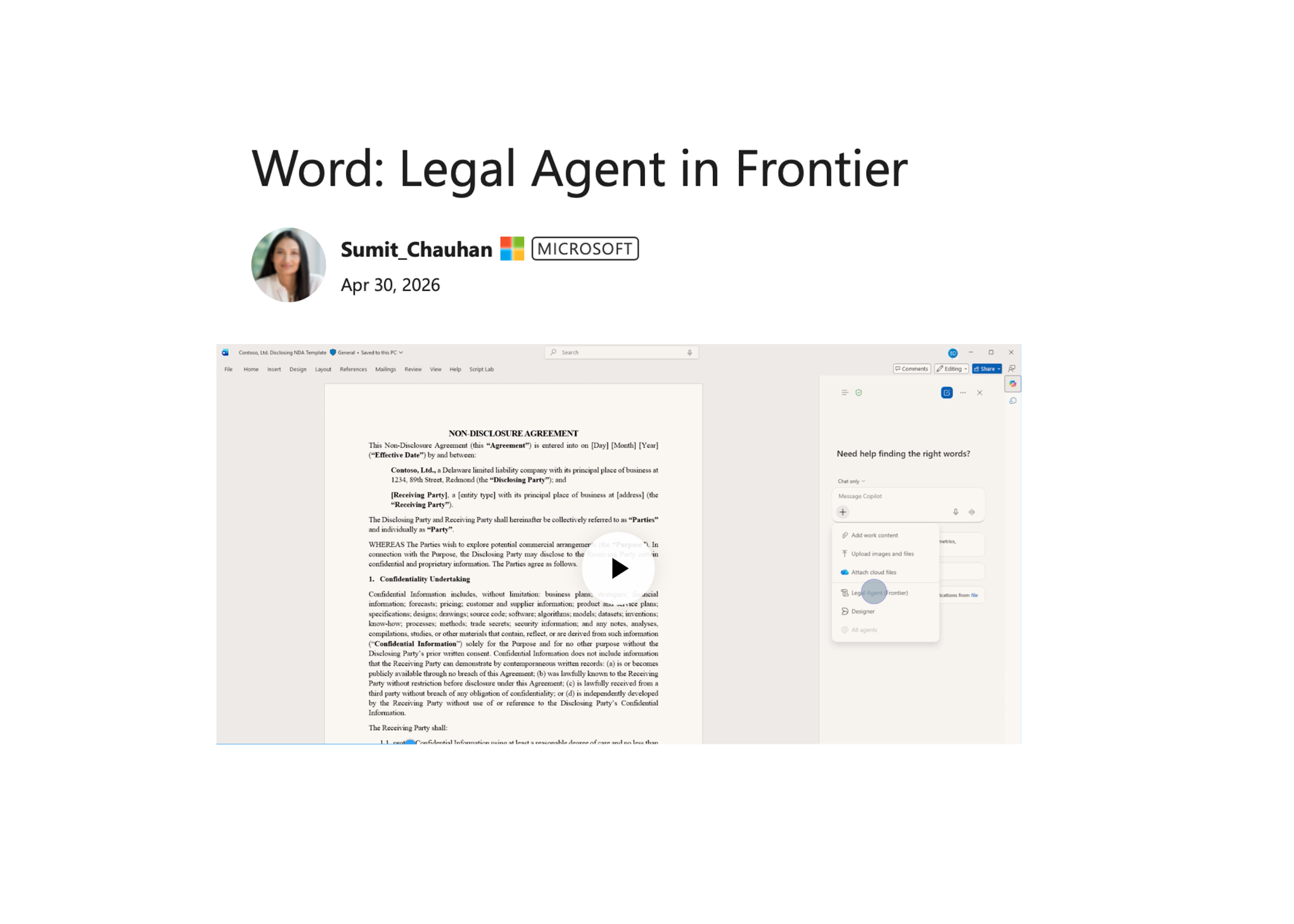
Microsoft Word Legal Agent: What It Means for Contract Review
Lawyers already live inside Word. That is exactly why the new Microsoft Word legal agent matters. Microsoft is adding an AI assistant aimed at legal work directly into the place where contracts, redlines, and clause reviews already happen. For in-house teams and firms under pressure to move faster, that sounds useful. It also raises the obvious question. Will this actually cut legal busywork, or just add another layer of AI output that still needs line-by-line checking?
Microsoft’s pitch, as reported by The Verge, is simple. Bring legal-specific AI help into Word so users can review and compare documents without bouncing between tools. That could save time on routine work. But legal teams should judge it by one standard only. Does it reduce risk while saving real hours?
What stands out
- Microsoft Word legal agent is built for legal document workflows inside Word.
- Its value depends on how well it handles comparison, clause analysis, and review accuracy.
- For legal teams, adoption will hinge on trust, auditability, and data controls.
- Word is a smart place to insert AI because that is where many lawyers already do the work.
Why Microsoft Word legal agent could matter
Microsoft is not trying to persuade lawyers to move into a brand-new platform. That is the smart part. Legal tech often fails because it asks busy teams to change habits, retrain staff, and rebuild workflows around software that never quite fits. Putting AI inside Word is more like upgrading the stove in a kitchen than asking the chef to cook in the garage.
That distribution edge is hard to ignore. Microsoft 365 already has deep reach across law firms, corporate legal departments, compliance teams, and procurement groups. If AI support appears inside a document people are already editing, the friction drops fast.
Word is where legal work starts, stalls, and gets signed off. Any AI feature that saves time there has a real shot.
And yet reach is not the same as value. Legal users do not need flashy summaries. They need tools that can spot risky language, compare versions cleanly, flag missing terms, and avoid confident mistakes.
What the Microsoft Word legal agent is likely trying to solve
Contract work is packed with repetitive review steps. People compare drafts, check fallback clauses, confirm defined terms, and scan for changes that could alter risk. None of that is glamorous, but it eats hours.
A legal agent inside Word can help if it handles tasks like these:
- Summarizing changes between versions of an agreement
- Highlighting clauses that differ from approved templates
- Answering questions about obligations, dates, renewal terms, or indemnity language
- Pulling out key terms for a quick first-pass review
- Helping non-lawyer business users understand what changed
That sounds promising because these are concrete jobs, not vague AI dreams. The best legal AI products win by shaving time off narrow tasks, then proving the output is dependable enough for professionals to trust.
Accuracy is the whole ballgame.
Where legal teams should stay skeptical about Microsoft Word legal agent
Look, legal work is different from general office productivity. A missed date in a slide deck is annoying. A missed indemnity carveout in a vendor contract can cost real money. That is why every legal AI claim deserves pushback.
There are three pressure points to watch.
1. Hallucinations and overconfident summaries
AI tools can compress text well. They can also flatten nuance. A contract summary that misses an exception, limitation, or dependency is worse than useless because it looks polished. If the Microsoft Word legal agent cannot show its work inside the document, lawyers will be right to treat it carefully.
2. Data governance
Legal departments care about confidentiality, client privilege, retention rules, and internal access controls. Microsoft has spent years selling security and compliance to enterprise buyers, so it has a serious head start here. But buyers will still want details on where data goes, what gets stored, and how prompts and outputs are handled.
3. Workflow fit
Legal review is rarely a solo act. Contracts move between lawyers, procurement, finance, outside counsel, and sales. If the AI helps one user but muddies collaboration, adoption will stall. The product has to fit the real chain of review, not a clean demo version of it.
How Microsoft Word legal agent compares to the broader legal AI push
Microsoft is stepping into a market that already has serious players. Tools from companies such as Harvey, Ironclad, Litera, and others have pushed hard into drafting, review, knowledge search, and contract lifecycle work. So why does Microsoft still have an opening?
Because incumbency matters. Deeply. If your company already runs on Microsoft 365, an AI layer in Word may be easier to approve than a separate legal platform with fresh procurement, security review, and training demands.
But that built-in advantage has limits. Specialized legal AI vendors often go deeper on domain-specific workflows, template libraries, and practice-area features. Microsoft can win on convenience and reach. It still has to prove depth.
Who should care about Microsoft Word legal agent first
Not every legal team needs to rush. Some do.
- In-house legal teams that handle high volumes of vendor and procurement contracts
- Corporate compliance teams that review policy and regulatory language changes
- Law firms looking to speed up first-pass document review
- Procurement leaders who need cleaner collaboration with legal inside Microsoft 365
If your work depends on repeated contract edits in Word, this is worth tracking. If your legal process already runs in a highly specialized system with mature automation, the gain may be smaller.
How to evaluate Microsoft Word legal agent before rollout
Honestly, the right test is boring. That is a good thing. Do not judge this on marketing demos. Run a pilot against your own contracts, your own playbooks, and your own approval process.
Start with a narrow set of use cases (NDA review is the usual entry point). Then score the results against human review.
- Measure time saved on first-pass review
- Track false positives and missed issues
- Check whether outputs cite document language clearly
- Review security, admin controls, and audit logs
- See if non-legal users actually understand the AI feedback
And ask the blunt question. Would you trust this on a live contract without a lawyer checking every line? For now, most teams should answer no. That does not make the tool weak. It just means the agent is a co-pilot, not the pilot.
What happens next for Microsoft Word legal agent
The bigger story is not one feature in Word. It is the slow reshaping of professional software around role-specific AI agents. Microsoft wants Word, Excel, Teams, and the rest of Microsoft 365 to become places where specialized assistants show up by default. Legal is one of the clearest test cases because the workflow is document-heavy, expensive, and packed with repeatable patterns.
If Microsoft gets the details right, this could turn Word into a stronger legal workstation instead of just a writing surface. If it gets them wrong, lawyers will keep using Word the old-fashioned way and treat the AI as window dressing.
My bet? The Microsoft Word legal agent will find a foothold on routine contract work first. The real fight starts after that, when buyers decide whether built-in convenience beats specialist depth.


