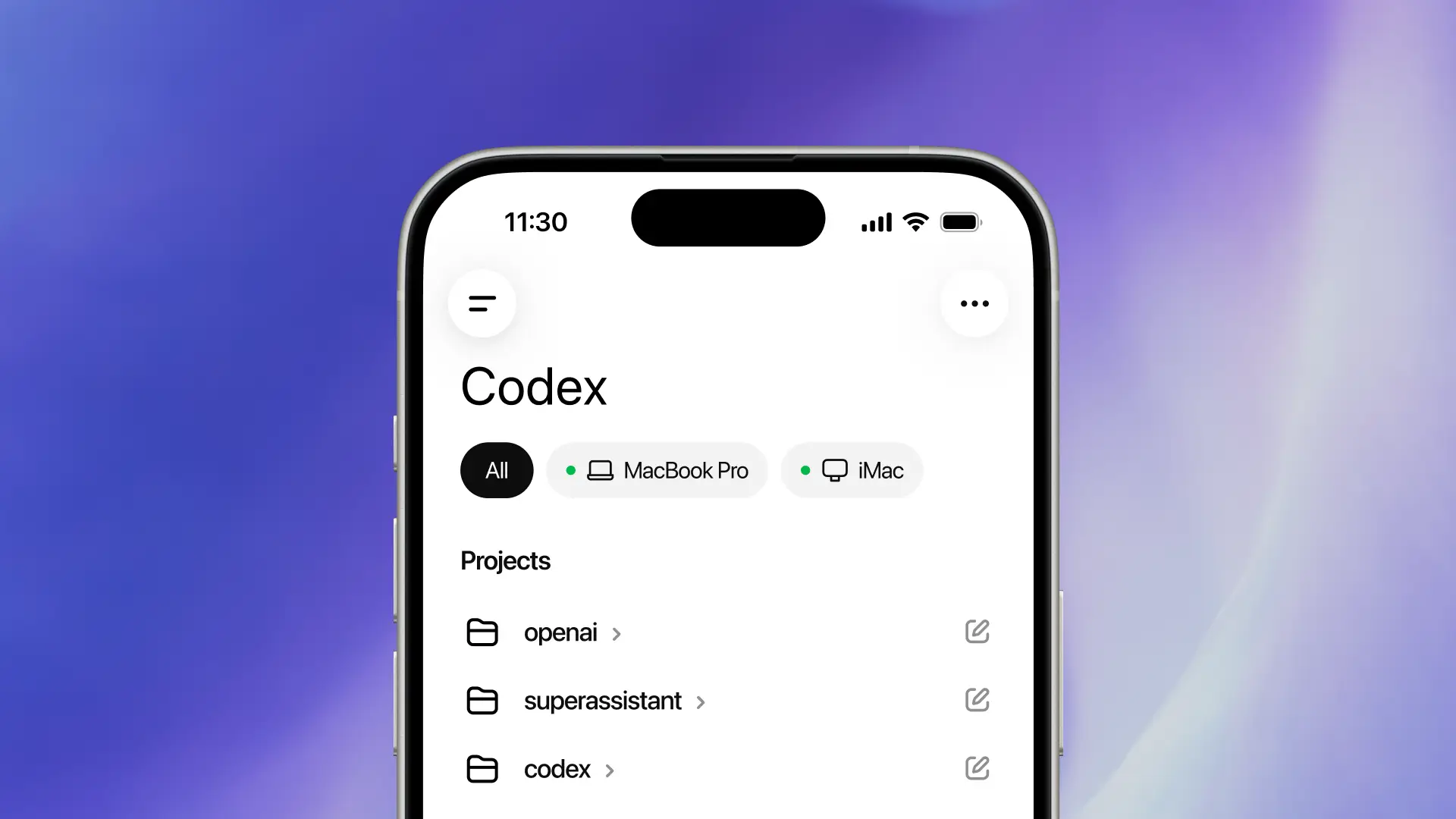
OpenAI Codex on Your Phone: What It Means
You already know the pitch. AI coding assistants can save time at your desk, clean up boilerplate, and help you debug faster. But OpenAI Codex on your phone raises a sharper question. How much real coding work can you do on a small screen, and where does this actually help? That matters now because mobile AI is moving from novelty to daily utility. If OpenAI brings Codex into a phone workflow, developers, founders, and IT teams will need to sort signal from noise fast. A mobile coding assistant could help with code review, quick fixes, terminal-style tasks, and documentation on the go. It could also turn into one more demo that looks slick and changes very little. That tension is the story.
What stands out right away
- OpenAI Codex on your phone sounds most useful for quick edits, code explanation, and repo triage, not full-scale development.
- Mobile coding works best as a companion flow to desktop tools like VS Code, GitHub, and cloud dev environments.
- Context will decide everything. Without access to your files, repo history, and tooling, mobile AI will hit a wall fast.
- For teams, security and permission controls will matter more than flashy demos.
Why OpenAI Codex on your phone is a real shift
Desktop coding assistants already have a clear home. Big monitor. Full keyboard. Terminal access. Source control. A phone is different. It is better for interruption-driven work, quick decisions, and lightweight responses.
That is why this move matters. It suggests OpenAI sees coding help as something that should travel with you, the same way email, chat, and dashboards already do. Think of it like a sous-chef in a cramped kitchen. You are not building the whole menu there, but you can still prep, check, and fix what matters.
Mobile AI for coding will live or die on context. Smart text generation alone is not enough.
And that is the part many product launches gloss over.
What will OpenAI Codex on your phone likely do well?
1. Explain code fast
This is the cleanest use case. You get a GitHub link from a teammate, an alert from a production issue, or a snippet pasted into chat. A phone-based Codex tool can summarize what the function does, flag risky logic, or point out likely bugs in plain English.
For working developers, that saves time during off-hours and while moving between meetings. For managers and founders who are technical but not hands-on every hour, it may be even more useful.
2. Handle small edits and quick patches
Could you merge a full feature branch from a phone? Probably not, and you should not want to. But renaming a variable, adjusting a config value, or drafting a patch for later review makes sense.
Look, there is a difference between coding and unblocking. Mobile AI is built for the second job.
3. Help with incident response
Imagine getting pinged for a failed deployment. A mobile Codex assistant could inspect logs, explain likely failure points, and suggest the next command or rollback step. If it connects to cloud tooling or CI systems, the value jumps.
That would make it less like a toy chatbot and more like an operations sidekick.
4. Draft docs, commit messages, and handoff notes
This may sound boring. It is not.
Teams waste a lot of energy on the glue work around code. A phone is often where that glue work happens anyway, especially during travel or after hours. If Codex can turn rough notes into clean documentation, that is a practical win.
Where mobile Codex will struggle
The screen is the obvious problem, but it is not the main one. The real issue is working memory. Good coding help depends on seeing the whole system, not one isolated file.
If OpenAI Codex on your phone cannot reliably access project structure, dependencies, recent commits, issue threads, and runtime signals, then answers will stay shallow. You will get polished suggestions that miss the actual architecture. We have all seen that movie before.
- Limited context windows in practice. Even if the model can ingest a lot, the app experience may still make deep context hard to load and inspect.
- Painful editing flow. Large changes on a phone keyboard are still awkward, even with voice input.
- Risk of over-trusting suggestions. Fast answers on a small screen can look cleaner than they are.
- Enterprise security friction. Repo access, secrets, device management, and audit trails are non-negotiable for serious teams.
Who benefits most from OpenAI Codex on your phone?
Not every developer will care. Some will try it once and go straight back to desktop. Fair enough. But a few groups could get steady value.
Startup founders and solo builders
If you wear five hats, a mobile coding assistant can help you review snippets, answer technical questions, and keep momentum when you are away from your laptop.
On-call engineers
This group may get the clearest upside. Quick diagnosis, command suggestions, and file-level explanation are useful when minutes matter.
Engineering managers
Managers often need to understand code changes without opening a full IDE. A phone tool that summarizes diffs or explains risk could fit that job well.
Students and new developers
There is learning value here too, especially for code explanation and debugging help. But it works best as a tutor, not a substitute for writing and testing code yourself.
What to watch before you buy the hype
Honestly, the headline is easy. The product details are where this gets real.
- Repo integration. Does it connect cleanly with GitHub, GitLab, or local cloud workspaces?
- Actionability. Can it suggest changes and open a pull request, or does it only chat?
- Security controls. Are admin policies, permission scopes, and logging built in?
- Cross-device flow. Can you start on your phone and hand work off to desktop without friction?
- Offline or low-connectivity behavior. Mobile tools often break at the worst moment.
A good test is simple. Ask whether the app shortens a real workflow you already have. Or is it just one more place to paste code and hope?
How mobile AI coding could change team habits
If this works, it will not replace desktop development. It will change the edges of software work. More triage on the move. Faster approvals. Shorter time from alert to first response. Better documentation because people can draft it before details go stale.
That matters because software teams are already spread across chat, tickets, CI dashboards, cloud consoles, and repo tools. A phone-based coding assistant could tie those moments together (if OpenAI gets the integrations right).
But there is a catch. Teams may need fresh rules around what should and should not be done from mobile. Reviewing a tiny diff on a phone is one thing. Approving risky production changes is another.
My read on what comes next
I have covered enough AI launches to know the first demo is rarely the full story. Mobile coding will look impressive long before it becomes reliable. Still, this one feels more grounded than a lot of AI product theater because the use cases are narrow and concrete.
OpenAI Codex on your phone does not need to replace your IDE to matter. It just needs to save you ten minutes at the right moment, help you avoid one bad decision, or let you resolve one issue before you get back to your desk. That is a solid product if the context is deep, the permissions are sane, and the handoff to desktop is smooth.
The next question is the one worth tracking. Will mobile AI become a real coding surface, or stay a smart remote control for work that still happens elsewhere?


